Server SDK
Use Cipay commerce APIs from trusted server code without working directly with REST endpoints.
Import @cipay/client-sdk/api only from your backend. The API key authenticates your server and must never enter browser code.
Install and create a client
bun add @cipay/client-sdkpnpm add @cipay/client-sdknpm install @cipay/client-sdkyarn add @cipay/client-sdkimport { createCipayClient } from "@cipay/client-sdk/api";
export const cipay = createCipayClient({
apiKey: process.env.CIPAY_SANDBOX_API_KEY!,
mode: "sandbox"
});| Option | Required | Purpose |
|---|---|---|
apiKey |
Yes | Authenticates your merchant server. |
mode |
No | Defaults to sandbox. Use live with a production key. |
baseUrl |
No | Overrides the Cipay API origin for a controlled environment. |
timeoutMs |
No | Cancels requests that exceed the configured duration. |
onResponse |
No | Observes safe response metadata for logging and request correlation. See errors and request IDs. |
What is a storefront locator?
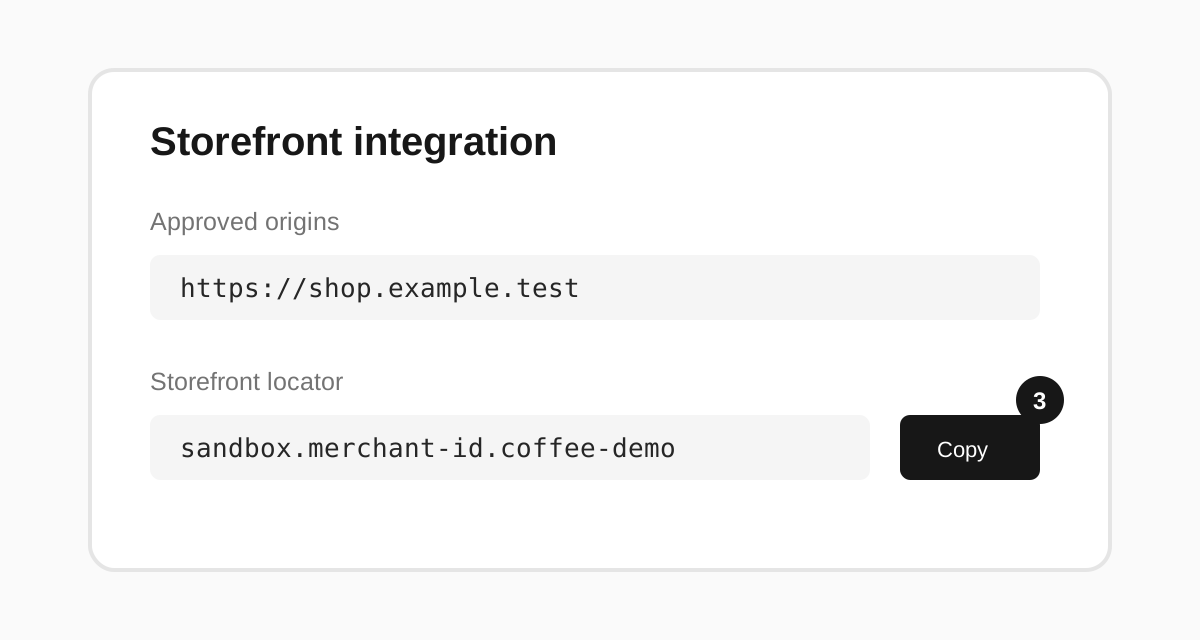
A storefront locator is a public routing identifier, not a credential. It looks like sandbox.<merchant-id>.<public-slug> and selects:
- the Cipay environment,
- the merchant,
- the published storefront and catalog configuration.
Your API key answers “which server is authorized?” The locator answers “which public storefront should this catalog or checkout use?” Copy it from Settings → Developer → Storefront integration using the screenshot walkthrough, then keep it in server configuration so browser input cannot switch storefronts.
API guides
Products and prices
Customers
Subscriptions
Discounts
Checkout
Orders and invoices
Webhook management
Errors and retries
All list methods return { items, nextCursor }. Money uses integer minor units: 4500 means SAR 45.00.